












New 1:many cadences with automated emails, reusable templates, and more in Signal

DonorSearch identifies prospects in your database with the capacity and intent to give.

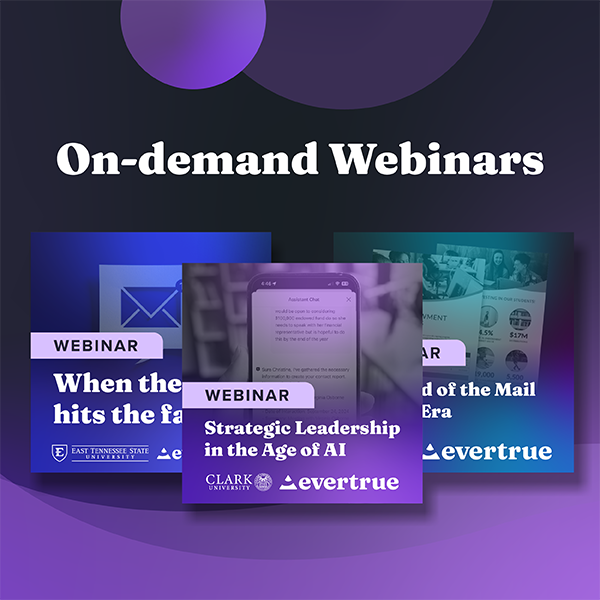
Missed the live session? Watch our on-demand webinars anytime to get guidance from industry experts.

Combining Institutional Efforts on Facebook

Over the past few weeks we’ve heard a lot from both clients and members of the CASE Social Media Listserve  around the topic of merging Facebook Alumni Pages & how to most effectively use Facebook Groups. After a little digging, it can be quickly seen the Facebook madness that many schools face: many confront multiple groups, pages and, in some cases, even a Facebook Profile for a school mascot or their alumni association.


So how does a school align all these efforts to communicate with a large spectrum of constituents on the world’s largest social network?

From Facebook’s definition, a Page is a tool for “brands, businesses or organization” to “showcase important news,” “highlight what matters” and to “manage everything in one place.” The last is perhaps the most important to note. While it might be helpful for an institution to have two Facebook Pages, say one for general interest and one for alumni, it becomes difficult for an institution to manage more Institution Pages than that effectively. If you have too many to manage (i.e. one for your alumni center and tone for the broader alumni community) and would prefer to centralize your messaging, you can combine pages as long as they represent the same institution.

To note: You can only merge the Page with fewer likes into the one with more likes. Additionally, once a Page is merged, it cannot be unmerged, and combines likes and check-ins — all content such as photos and statues from Page with fewer likes will be deleted permanently.

To get started follow the steps below:

1. Go to the Page with more likes.
2. Click “Edit Page”
3. Select “Update Info”
4. On the left sidebar, select “Resources”
5. Click “Merge Duplicate Pages” *this will only pick up if you have another Page with a similar name*
6. Select the Pages you wish to merge. If it’s a location, they must have the same address information.

SEE FULL DETAILS HERE: http://www.facebook.com/help/249601088403018/

Facebook Groups, in comparison to Pages, are great tool for a segmented focus; think messaging for recent alums vs. alumni volunteers vs. board members.
Groups allow administrators to “create a private space” for specific groups of people, and to have a high level of control through privacy settings. In a similar way to LinkedIn Sub- Groups, Facebook Groups allows you to really cater to appropriate needs, and to post audience-specific opportunties.

Although you cannot merge Groups into Pages, Facebook recommends that if you wish to promote your Page to notify your Group (unless your Group is larger than 5,000 in which case you cannot). Also, do not use Groups exclusively of Pages — Pages still provide an important and central place for alumni of all generations to rally around and to share content!

Looking to master your Institutional Facebook Game? Try our Social Media Playbook.

Lastly, if you have a institution-related Profile on Facebook promoting your Page to your Profile’s friends is simple

1. Open your Page’s admin panel
2. Click “Build Audience”
3. Select “Invite Friends”

We hope that these tips and tricks are helpful for your advancement and communications office. Remember social media is a cross-departmental task so make sure to work with your social media point person when tackling accounts!
Endowment Spending & Growth Calculator

Enter your fund's current value and adjust the return, spending, and inflation sliders to see how its value in today's dollars changes over time.

$
6.0%
0%12%
4.0%
2%7%
3.0%
0%8%
10
5 yrs25 yrs

Value in 10 years

$0

In today's dollars

$0

4. Continue to Steward Donors

Your relationship with the donors who give to your endowment doesn’t end when you secure their gifts. Because your endowment exists to make a difference in the long term, your supporters will want you to keep in touch about its progress. Ongoing stewardship means keeping donors updated about your endowment’s performance and impact. A report that strengthens your relationship with donors should cover:
  • The fund’s balance at the start and end of the year
  • Spending amounts and allocations
  • How the fund’s returns compare to your investment targets
  • A short narrative detailing the specific impacts the endowment achieved
Create a report for each endowment rather than sending an identical document to everyone. A donor who endowed a scholarship wants to hear about the students it supported, while a donor who endowed a building fund wants updates on construction projects.

5. Upgrade Your Endowment Management Tools

Your endowment management tools should make applying your spending policy across every fund easy. Investing in dedicated software is especially useful as your endowment grows. Handling unitization in spreadsheets might work for a few funds, but as you begin to manage dozens or hundreds of gifts, dedicated software can save your team time spent manually calculating gains and losses for each one.

Why Nonprofits Need Dedicated Endowment Management Software

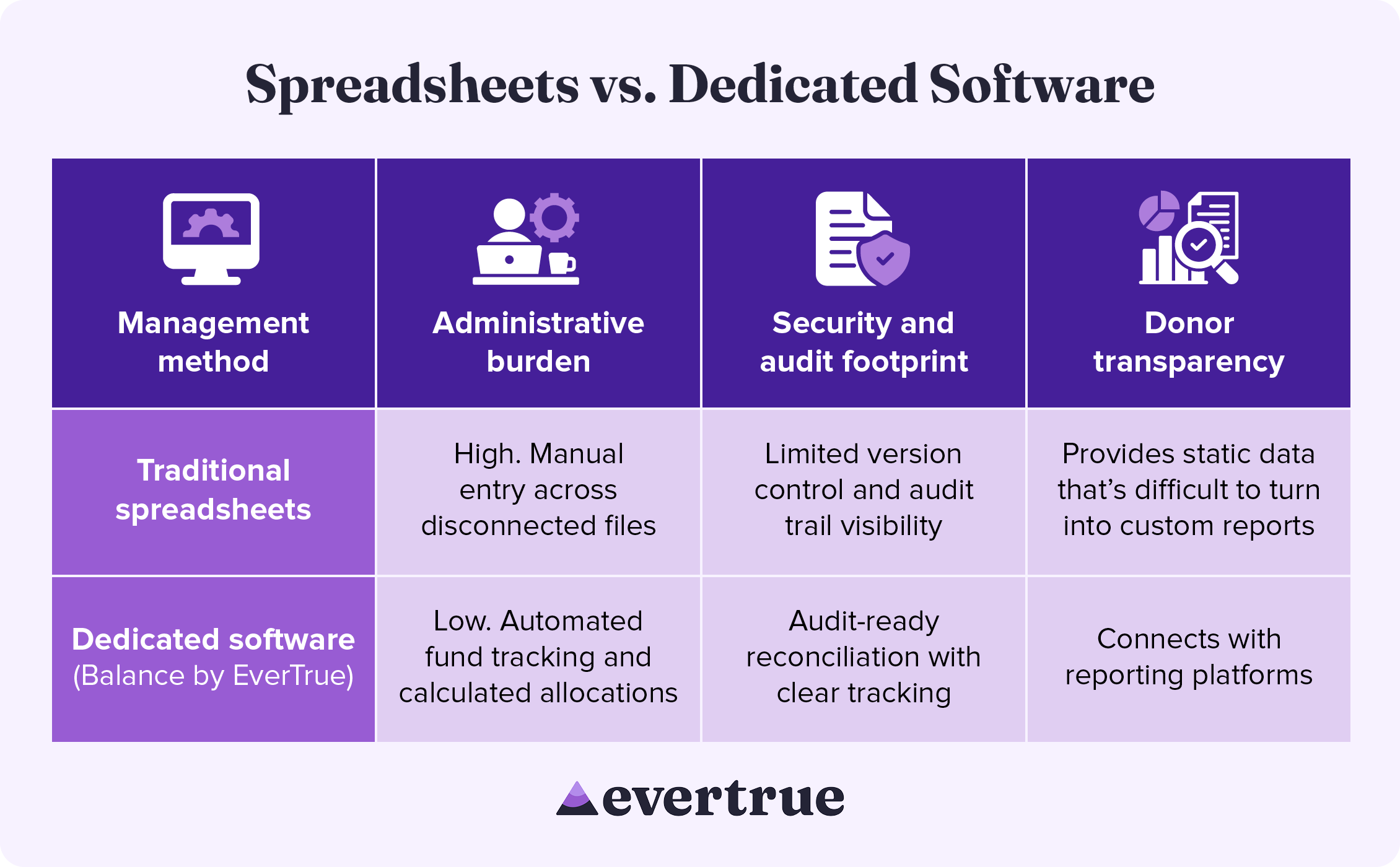
Dedicated endowment software brings accuracy and consistency to every part of the management process, from tracking individual funds to improving security. See how these solutions compare to a spreadsheet-based approach: nfographic table outlining the information below.

How These Methods Compare:

In managing your endowment with traditional spreadsheets, you may see:
  • High administrative burden: Manual entry across disconnected systems
  • Limited security and audit footprints: Reduced version control and audit trail visibility
  • Difficulty with donor transparency: Spreadsheets provide only static data that is difficult to turn into custom results.
By using dedicated software, you are likely to find the following improvements:
  • Lower administrative burden: Automated fund tracking and calculated allocations
  • Enhanced security and audit footprint: Audit-ready reconciliation with clear tracking
  • Greater donor transparency: Connects with reporting platforms
Dedicated endowment management software keeps your organization compliant while freeing up the time your team once spent manually managing spreadsheets.

Secure Your Endowment with Balance by EverTrue

Effective endowment management begins with excellent accounting. Balance by EverTrue handles unitization, applies spending rules, and produces audit-ready reports, so your team can spend more time on the donor relationships that built the fund in the first place.
  • Turn your data into a clear picture of long-term impact. Combine accurate fund accounting with donor reporting that showcases impact.
  • Connect with the tools you already use. Pair Balance with Impact by EverTrue and ODDER by EverTrue to create and deliver compelling digital endowment reports that you can send to donors with ease.
  • Know where every fund stands in real time. Check market values, gift history, and available spending for any fund. Then, share view-only versions with your team, so everyone stays informed.
With Balance, your team can stop spending all your time on manual management and instead add balance to your endowment workflow.

Additional Resources

To learn more about managing your endowment and other ways that technology can help your organization, check out these additional resources: Less stress, higher endowment funds. Discover how Balance provides the organization, security, and accuracy your endowment needs. Request a demo.
0 0 votes
Article Rating
Subscribe
Notify of
guest
0 Comments
Oldest
Newest Most Voted
Inline Feedbacks
View all comments
0
Would love your thoughts, please comment.x
()
x