














It’s been a busy first quarter of 2018 here at EverTrue.
We’re unveiling new goodies including enhanced calendar integrations for gift officers using Relationship Management, tools for admins of Volunteer Management, Single Sign-on for the EverTrue platform on desktop and mobile, and extra giving information and improved searchability for all.
Introducing Single Sign-On (SSO) for EverTrue (All EverTrue Platform Users)
Do you work for a college or school that gives you a single set of credentials to access all the tools and software you need to do your job?
Well, you now can use that same set of credentials to access EverTrue — eliminating the need to keep track of another username and password.
(Let’s get technical… This is for customers who have SAML authentication. Don’t know what that means? Check with IT.)
If you’d like to learn more about adding single sign-on to your organization’s contract, contact your customer success manager or email genius@evertrue.com.
*This is for logging into the EverTrue platform on your desktop or mobile device.
Automatically Send Meetings from EverTrue to Your Calendar (Relationship Management)
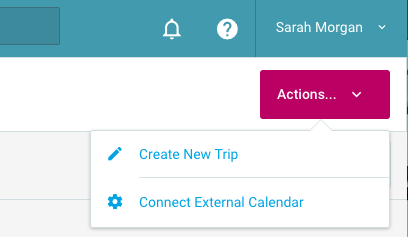 We’re helping gift officers stay organized while planning donor visits using My Trips.
Our latest integration lets you update your work calendar (Outlook, Google, or iCloud) with meeting additions and changes from EverTrue.
Simply use the action menu in My Trips to connect an external calendar using our integration with Cronofy and you’re done. We’ll then push any change you make to a trip in EverTrue to your work calendar, allowing you to easily rearrange meetings, block off travel time, add hotel information, and more. Here’s more information on how all this works.
Talk to your CSM or email genius@evertrue.com if you want to activate this feature for your institution.
New Insights Added to Volunteer Management
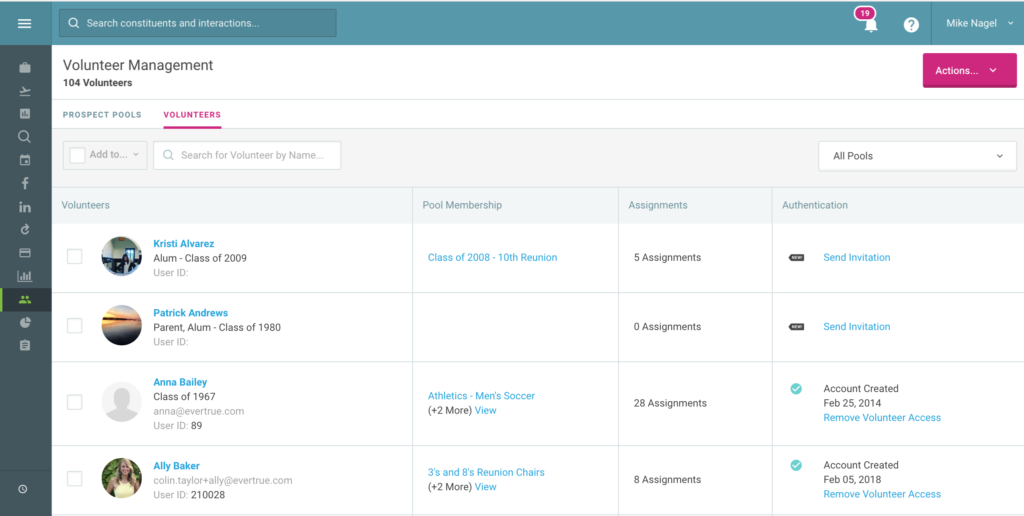
We’re making it easier to manage teams of volunteers.
With the new insights added to our Volunteer Management platform, you can see all your volunteers in one place, quickly sort them by volunteer pool, and identify which prospects they’re assigned to contact or solicit.
You can keep track of who’s logged in to the platform or resend invites to join the volunteer app, as well.
EverTrue — making volunteer management simple. And fun!
(We were going to say “putting the fun in fundraising,” but we’ve already reached our #dadjoke quota for the week.)
Volunteer Management Bonus: Add a Custom Resource Link
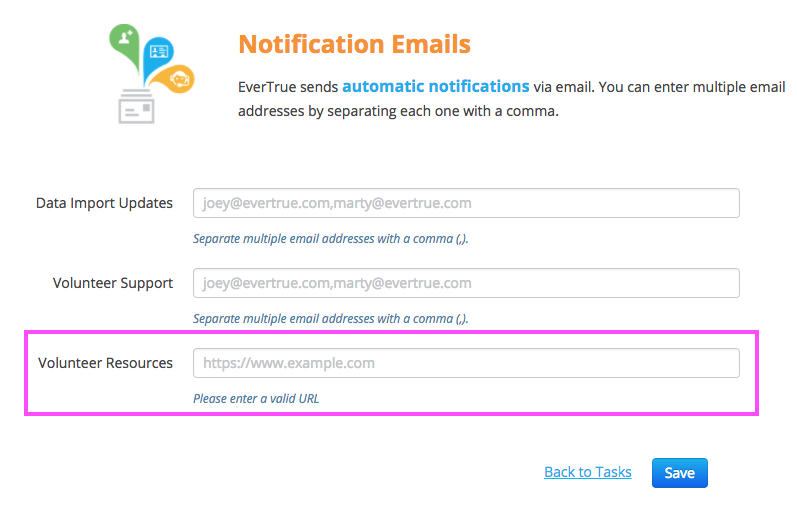
In seconds, an admin can drop a link into your Volunteer Management platform to direct volunteers to a microsite, handbook, bookstore discount, or a fun thank-you video.
It’s your call! And you can add and remove the link as needed.
To set up a link, log in to Console, go to the Notifications section, and add a link in the “Volunteer Resources” field.
Online Giving – Booyah!
We’ve recently released a bunch of updates for our giving pages.
Some highlights:
- Add an image to the foreground of your page, which you can for extra content to drive home why visitors should give, promote a challenge, or act as a gift thermometer. See how The Rams Club (UNC) used this feature to help defeat Duke in a giving challenge.
- Drop a hashtag into the footer for social shareability.
- Ask for more details from donors using the new, optional gift details field.
Activate Giving Categories (All EverTrue Platform Users)
You can now send information from up to five giving categories to EverTrue. These categories will then appear on every constituent profile, helping you track each donor’s giving history at a more granular level to personalize your next touchpoint. 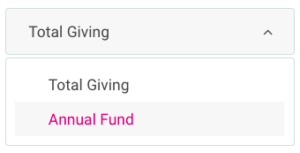
Check it out and talk with your customer success manager or contact genius@evertrue.com to enable this feature. It just requires a quick update to your core data file and then you’re good to go.
#WeMadeIt (All EverTrue Platform Users)
Props to you for making it this far in the update. You’re no doubt an EverTrue super-user who is intelligent, classy, and downright good-looking. Thanks for reading!
Did you know you can now use hashtags to search interactions in EverTrue? This is a great way to organize EverTrue comments or contact reports. Just add a relevant tag (“#campaign” for example) when you do. Those hashtags become searchable immediately and help you and your team stay organized.