












As a prospect researcher, it’s essential to proactively locate news about prospects in a timely fashion. From job promotions to marriage announcements, the ability to send your development officer news as-it-happens is key to the engagement of potential and current prospects.
But this process can be more complicated than you’d think. First, you have to decide what services to use (whether free or paid). Then, it’s a matter of hashing out the details:
Which keywords should you track?
Should you monitor just your organization’s name?
Your organization’s name and the names of current major prospects?
What about the names of local organizations with similar missions as yours?
Once you’ve identified a service to use and answered the above questions, you can simply input your criteria, sit back, and let the alerts come to you.
Based on my personal experience, there are a variety of paid and free services that can help you stay on top of prospects and potential prospects—a few of which I’ve highlighted below. These services have alerted me to the sales of companies or large amounts of public stock, birth announcements, obituaries, employment changes, awards, and much more.
This type of knowledge can give a development officer an opportunity to show that the organization is interested in him or her as a person and not just as a donor. In the end, that’s what builds the foundation for a strong relationship and heightens affinity for your organization.
One quick note: When setting up news alerts, make sure to create a separate alert for each iteration of your organization or prospect’s name, including acronyms, common misspellings, and initials or maiden names. You may also want to create alerts on your leadership team, top donors, and board of directors.
Google Alerts
Google Alerts is a simple, streamlined, free resource that pushes you updates based on a keyword. It sends new web content directly to your inbox based on the criteria that you set.
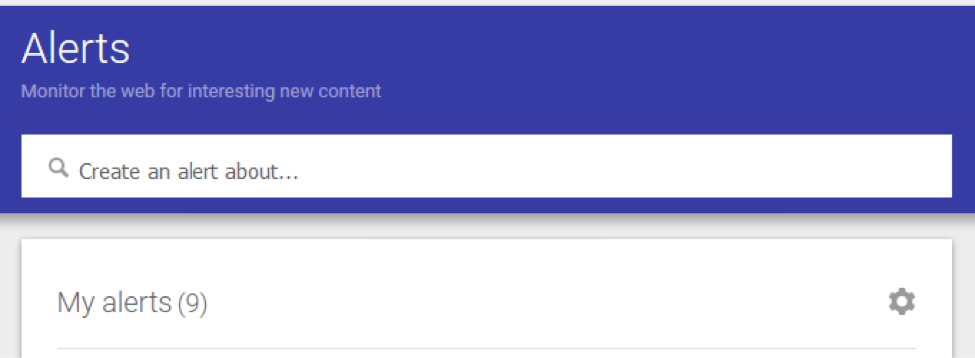
For example, I have an alert set up with the simple keywords “most powerful.” This criteria tends to surface lists of powerful people and organizations that I can then mine for my organization—as they may have flown under our radar. Last week, I received an alert linking to an article about the most powerful LinkedIn profiles in the UAE:
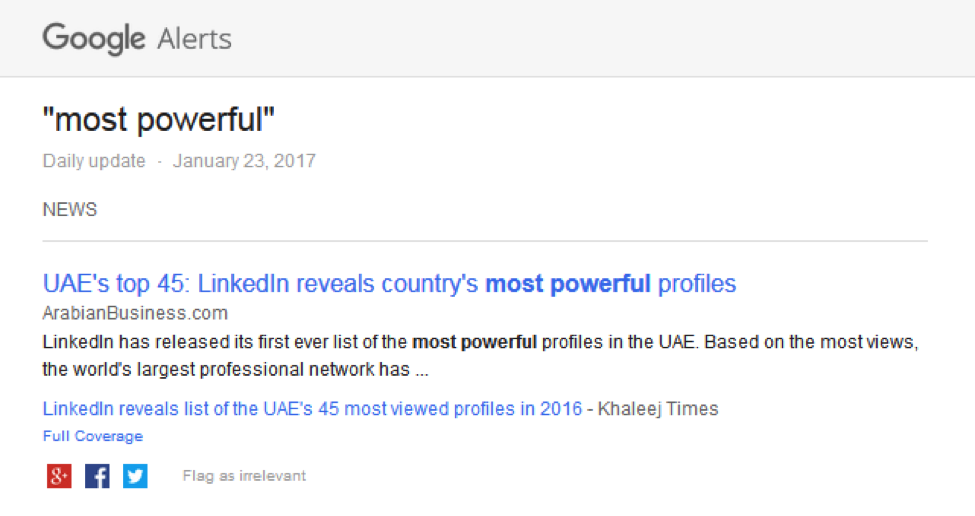
I would highly suggest using quotation marks around your keywords. Not only will this weed out irrelevant results, but it will also enable Google Alerts to bold these words/phrases in your results. That way you can quickly see why you’re receiving the alert.
Feedly
Feedly is also a free resource, but it offers more than just keyword alerts. The platform lets you follow different blogs and publications—such as industry or field journals and magazines—and pulls all of that content into one location for easy viewing.
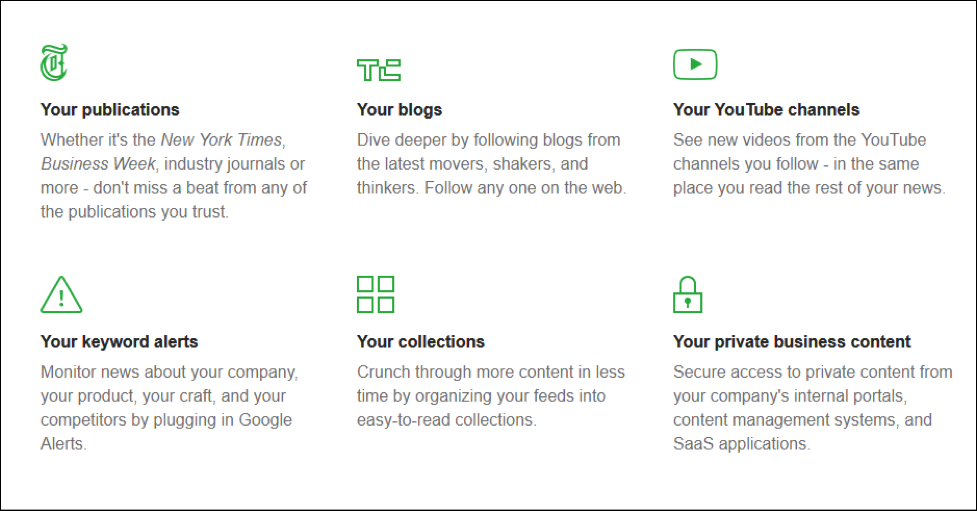
If the prospect researchers in your department are assigned to different areas of interest at your organization, then Feedly can be especially helpful.
At the Indiana University Foundation, for instance, each researcher is assigned to a specific unit or school. I’m assigned to the health sciences (i.e., medicine, dentistry, social work, and nursing), while other researchers cover cinema, women’s philanthropy, music, and athletics. In this type of scenario, you could create feeds that organize the alerts by school/areas of interest, which will allow you to feed relevant alerts to the right people—saving you time in the long run.
Pro tip: Incorporate your Google Alerts into Feedly so that you only have to check one source!
Talkwalker
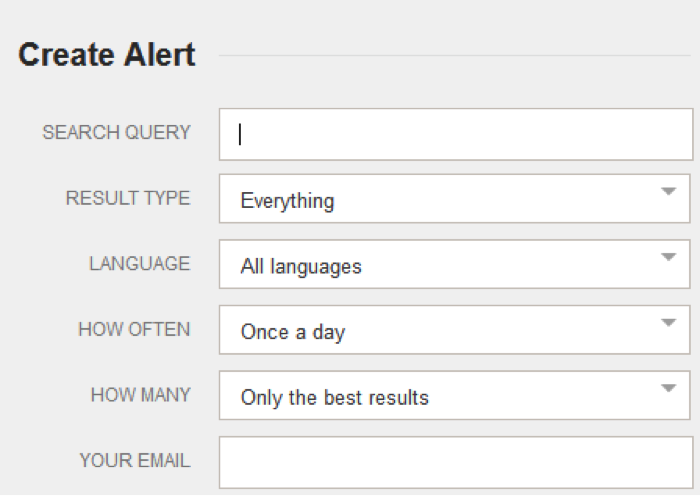
Talkwalker is similar to Google Alerts and will send results to either your email or an RSS feeder. You can choose what types of results you want to see (like news or blog articles), how often you want them delivered, and how many results you’d like to receive.
There are also a number of paid resources, including Mention, LexisNexis, and RelSci, that provide similar services.
SEC – EDGAR
Setting up SEC alerts via the historical SEC EDGAR archive is especially useful for keeping up-to-date on a prospect’s financial endeavors, such as stock sales or purchases. It’s crucial to find out (and alert the development officer) when a prospect sells a large portfolio of stock—this can either indicate that the prospect is able to make a major gift or is suffering from financial hardships and needs to quickly liquidate assets.
To set up this type of alert, just search for your prospect in the archive and follow the instructions to set up an RSS feed. Please note that this archive has a one-day lag.
For EverTrue Users:
It’s simple to set up email and push notifications about prospect activity with EverTrue. There are two ways to get these dynamic updates:
1. Lists. If you’ve added a prospect to a list (i.e., “Boston Trip List” or “A-Rated Prospects”), EverTrue alerts you any time that prospect updates his or her LinkedIn career information or engages with your institution on Facebook.
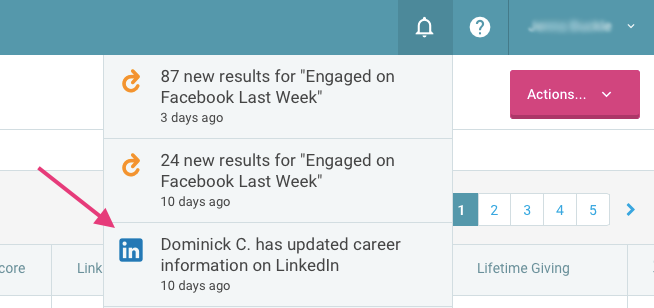
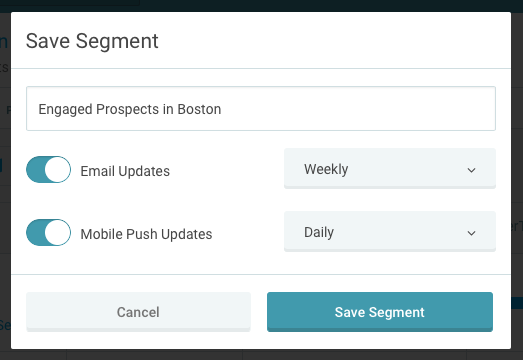
2. Saved Segments. When you save a useful search as a segment (i.e., “Engaged Prospects in Boston”), you have the option to receive email and/or mobile notifications whenever EverTrue surfaces new matches for that segment. For example, with the above segment, you’ll get notified when a prospect meets those specific criteria (engaged with your Facebook page and located in Boston).
Learn how the prospect research teams at the University at Buffalo and Oklahoma State University are using EverTrue to stay up-to-date on prospects.
Related: Creative Ways to Discover New Prospects
How do you use alert services and RSS feeds? Let me know in the comments.
Emily Davis began as a research associate at the Indiana University Foundation and was promoted to development analyst in 2011. In addition to assisting her science- and health-related clients with research, she has completed research for the IU and IU Foundation presidents as well as on international prospects. She received her undergraduate degrees from Ball State University and her master’s degree from Indiana University Bloomington. In her free time, she enjoys completing freelance editing and formatting work when not watching Thomas the Train with her toddler.