













New 1:many cadences with automated emails, reusable templates, and more in Signal

DonorSearch identifies prospects in your database with the capacity and intent to give.

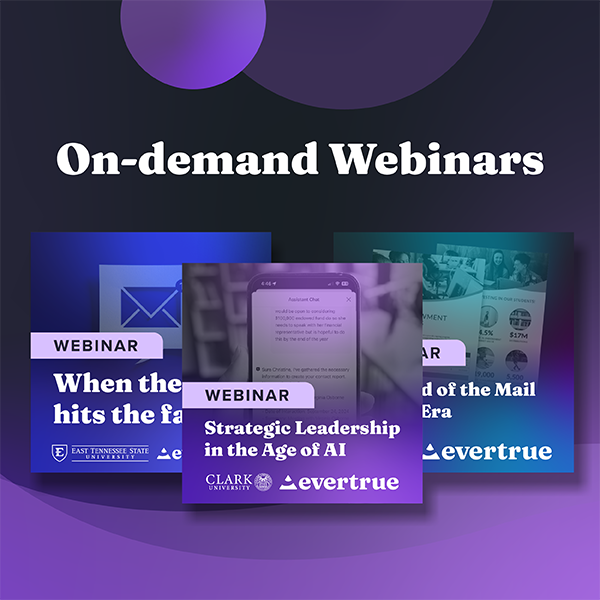
Missed the live session? Watch our on-demand webinars anytime to get guidance from industry experts.

7 Tips for Filming Video on Your Smartphone

Getting Started

Before you even get your shot lined up, you need to make sure your phone is set up to take video properly.

The most important setting is video resolution, which refers to how large your video will be. Two common resolutions are 1080 HD and 4K, which is the larger of the two. You can find change the resolutions on most phones in the settings section for your camera.

Next, check the frame rate. This sets how many individual frames per second (fps) your video records. Common settings are 24 fps, 30 fps, and 60 fps. The higher the number, the more polished the video you’ll produce.

Watch out, though, as both of these settings affect the final file size of the video. For instance, a five-second video shot at 4K-resolution is roughly four times the size of the same video length shot in 1080 HD. Be sure to check that wherever you’re uploading your video does not have file size restrictions.

Finally: clean your lens. The last thing you want is to end up with a beautifully filmed video viewed through a thumb smudge. This is also why you need to watch when you eat peanut butter.

Now you’re ready to get into position!

Tip 1: Aspect

Make sure your phone camera is positioned horizontally when filming. A fundamental rule of composition is the rule of thirds. Basically, if you were to divide your screen like a tic-tac-toe board, you should fall at the intersection of two of the lines.

People are much more likely to tune out if there’s more blank screen than compelling content!

Tip 2: Distance

Another video recording tip is to make sure you’re about 3-4 feet away from the camera. A fundamental rule of composition is the rule of thirds. Basically, if you were to divide your screen like a tic-tac-toe board, you should fall at the intersection of two of the lines.

You should be close enough to be the center of focus, but not so close that it feels like people are watching the Blair Witch Project.

Tip 3: Angle

Make sure your lens is at eye-level. Filming from an angle below you will make you seem wider and disproportionately bigger and filming from a higher angle can make it seem as though the viewer is observing you as a third-party (creepy, right?).

Don’t resort to recording handheld video to get the angle right: the shakiness isn’t worth it! If you don’t have a tripod to keep the camera steady, use a flat surface and items like books to prop the phone up.

Tip 4: Illumination

Smartphone cameras have small image sensors and low dynamic range. So shooting in dark environments will give you grainy, low-quality footage. In addition, the auto exposure on mobile phones is typically slow to adjust when changing from one scene to the next, so be cautious when moving from dark areas to bright ones.

If you have a window, use your surroundings to your advantage! Position yourself in front of it for the natural light, but make sure it’s in front of you for the shot, not behind you. Otherwise, you’ll just be a shadow puppet. This is especially helpful if it’s an overcast or cloudy day, which will produce a much softer, more pleasant-looking light than high-noon or full sun.

Tip 5: Setting

Another tip for filming on your phone is to put some distance in front and behind you so the setting feels less cramped. Don’t back yourself directly up against a wall, especially because this will cause a shadow halo effect.

If you can, try to find a space that has small items of interest in the background to give the backdrop some texture and dynamic depth. This can also make the video feel less sterile.

Tip 6: Wardrobe

Try to choose clothing that doesn’t distract and that doesn’t have high contrast. Bright white clothing will get washed out, so if you have a white shirt try to cover it with another layer. Vibrant reds will also cause you to have an unnatural glow, so that color is best left in your closet.

Tip 7: Audio

Record in a quiet location, indoors if possible. Outside locations can suffer from wind cutting into your audio or the sound of birds being picked up. When indoors, avoid fans and rooms that have thin walls that are adjacent to noisy areas.

To avoid external noise distortion, you can also use an external microphone hooked up to a computer or a memo recorder on a separate phone to record your audio. You can then overlay the audio in a video editing program like iMovie.


Our best piece of advice outside of these video recording tips is to make sure you take the time to do multiple takes. Give yourself the opportunity to nail your video, and know that it doesn’t always happen on the first try.

We can’t wait to see what you create!
 

Endowment Spending & Growth Calculator

Enter your fund's current value and adjust the return, spending, and inflation sliders to see how its value in today's dollars changes over time.

$
6.0%
0%12%
4.0%
2%7%
3.0%
0%8%
10
5 yrs25 yrs

Value in 10 years

$0

In today's dollars

$0

4. Continue to Steward Donors

Your relationship with the donors who give to your endowment doesn’t end when you secure their gifts. Because your endowment exists to make a difference in the long term, your supporters will want you to keep in touch about its progress. Ongoing stewardship means keeping donors updated about your endowment’s performance and impact. A report that strengthens your relationship with donors should cover:
  • The fund’s balance at the start and end of the year
  • Spending amounts and allocations
  • How the fund’s returns compare to your investment targets
  • A short narrative detailing the specific impacts the endowment achieved
Create a report for each endowment rather than sending an identical document to everyone. A donor who endowed a scholarship wants to hear about the students it supported, while a donor who endowed a building fund wants updates on construction projects.

5. Upgrade Your Endowment Management Tools

Your endowment management tools should make applying your spending policy across every fund easy. Investing in dedicated software is especially useful as your endowment grows. Handling unitization in spreadsheets might work for a few funds, but as you begin to manage dozens or hundreds of gifts, dedicated software can save your team time spent manually calculating gains and losses for each one.

Why Nonprofits Need Dedicated Endowment Management Software

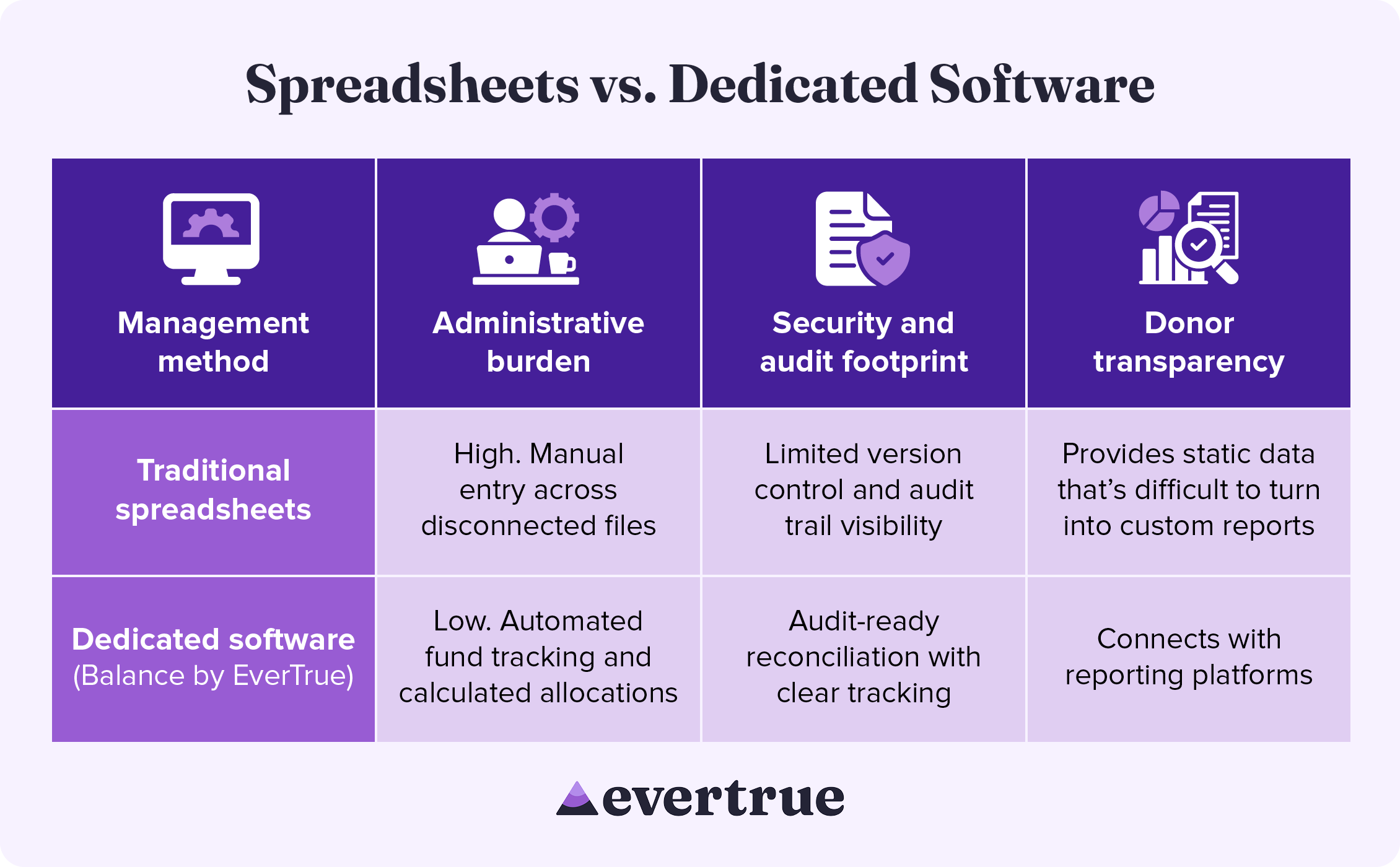
Dedicated endowment software brings accuracy and consistency to every part of the management process, from tracking individual funds to improving security. See how these solutions compare to a spreadsheet-based approach: nfographic table outlining the information below.

How These Methods Compare:

In managing your endowment with traditional spreadsheets, you may see:
  • High administrative burden: Manual entry across disconnected systems
  • Limited security and audit footprints: Reduced version control and audit trail visibility
  • Difficulty with donor transparency: Spreadsheets provide only static data that is difficult to turn into custom results.
By using dedicated software, you are likely to find the following improvements:
  • Lower administrative burden: Automated fund tracking and calculated allocations
  • Enhanced security and audit footprint: Audit-ready reconciliation with clear tracking
  • Greater donor transparency: Connects with reporting platforms
Dedicated endowment management software keeps your organization compliant while freeing up the time your team once spent manually managing spreadsheets.

Secure Your Endowment with Balance by EverTrue

Effective endowment management begins with excellent accounting. Balance by EverTrue handles unitization, applies spending rules, and produces audit-ready reports, so your team can spend more time on the donor relationships that built the fund in the first place.
  • Turn your data into a clear picture of long-term impact. Combine accurate fund accounting with donor reporting that showcases impact.
  • Connect with the tools you already use. Pair Balance with Impact by EverTrue and ODDER by EverTrue to create and deliver compelling digital endowment reports that you can send to donors with ease.
  • Know where every fund stands in real time. Check market values, gift history, and available spending for any fund. Then, share view-only versions with your team, so everyone stays informed.
With Balance, your team can stop spending all your time on manual management and instead add balance to your endowment workflow.

Additional Resources

To learn more about managing your endowment and other ways that technology can help your organization, check out these additional resources: Less stress, higher endowment funds. Discover how Balance provides the organization, security, and accuracy your endowment needs. Request a demo.
0 0 votes
Article Rating
Subscribe
Notify of
guest
0 Comments
Oldest
Newest Most Voted
Inline Feedbacks
View all comments
0
Would love your thoughts, please comment.x
()
x