















From donor engagement activities to impact messages, a lot goes into developing donor relationships. Of course, the number one way to secure supporter gifts is to show your heartfelt appreciation regularly.
While timely emails and detailed letters can go a long way when thanking donors, video messages are one of the most impactful ways you can express your gratitude. By putting a face on your organization and speaking your appreciation aloud, donor thank-you videos maximize your ability to connect with supporters.
To help your organization start creating powerful donor thank-you videos, we’ll explore:
- Donor Thank-You Videos FAQ
- How to Create Donor Thank-You Videos Step-by-Step
- ThankView by EverTrue: The Top Donor Thank-You Video Platform
When your supporters receive tailored thank-you videos, they’ll feel a personal connection that few other communication mediums can replicate.

Donor Thank-You Videos FAQ
What are the benefits of donor thank-you videos?
It’s easier to build emotional connections via video than through other forms of appreciation, such as emails and direct mail. Thanks to the use of sound and visuals, you can speak directly to supporters about your mission and how meaningful their support is.
Plus, when compared to other communication channels, a custom video will seem more high-effort. Going out of your way to create a personalized video message demonstrates just how much you care about that individual donor’s contributions, increasing their commitment to your cause.
What equipment does my nonprofit need to create donor thank-you videos?
To create effective thank-you videos, nonprofits should gather the following equipment:
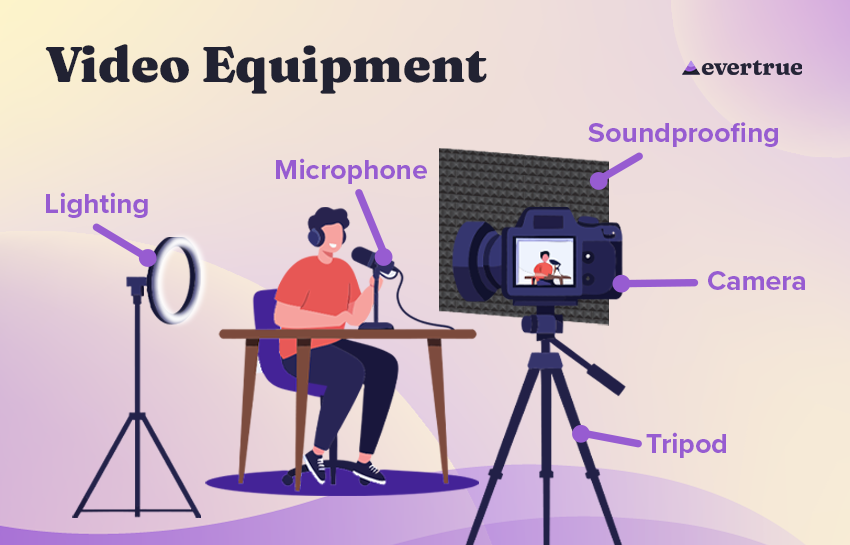
- Camera
- Tripod
- Microphone
- Light source
- Soundproofing material
- Editing software
- Delivery tool
When it comes to the last two items, a dedicated video platform, like ThankView by EverTrue, can handle video creation and distribution. This type of software gives you the tools to gather and edit personalized videos, then schedule when they’re delivered.
When should my nonprofit send donor thank-you videos?
Send donor thank-you videos whenever you want to go the extra mile with your appreciation. For example, a few occasions that nonprofits often send thank-you videos include:
You can also send appreciation videos for general stewardship purposes, such as to wish a donor a happy birthday or congratulate them on a promotion. By regularly expressing your thanks via video, you can build lasting relationships with your most valued supporters.
How To Create Donor Thank-You Videos Step-by-Step
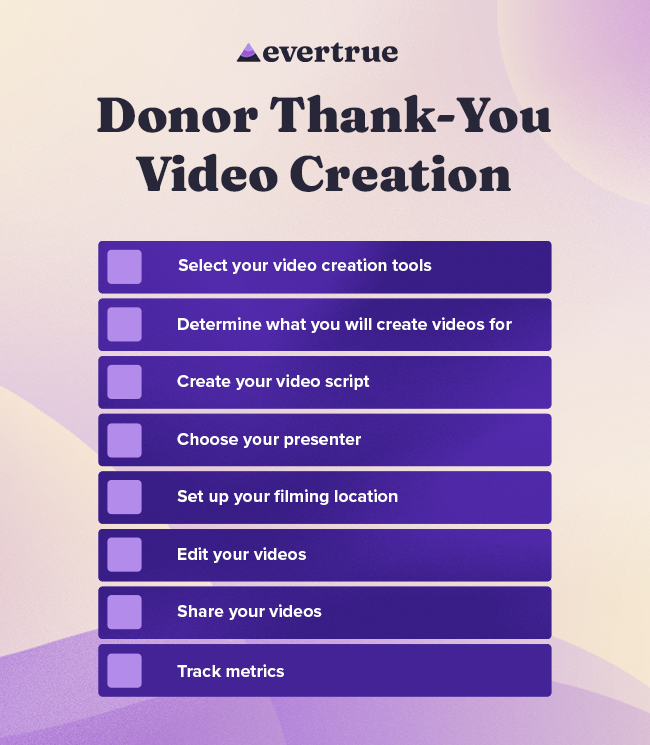
Select your video creation tools.
Determine what kind of video you want to make and what types of tools are necessary:
- Camera. For simple donor thank-you videos, a phone camera or laptop webcam should suffice. If you plan to create a more professional message or want to add footage of your programs, investing in a higher-quality camera may be worthwhile, but it likely isn’t necessary for smaller teams.
- Audio equipment. For thank-you videos, you likely will not need a professional microphone. Instead, just record in a quiet space with limited echoing, such as a carpeted room.
- Lighting. Use either a light source placed in front of the speaker or natural light to ensure they are fully visible with no shadows covering their face.
- Editing software. All videos will likely need at least some editing to remove pauses. Choose a user-friendly platform, such as a solution purpose-built for thank-you messages and fundraising videos.
The exact equipment you purchase will depend on your budget. However, for thank-you videos, the priority should be to create authentic videos at scale rather than producing professional, movie-quality content.
Determine what you will create videos for.
Decide what types of donor engagement you will send donor thank-you videos in response to. For example, you might set a specific giving threshold where gifts over a certain amount receive a personalized video message while smaller gifts still get a heartfelt email.
In addition, send out thank-you videos to steward donors in between gifts. Use your donor engagement data to identify the best time to send appreciation videos, such as the anniversary of their first gift, a birthday, or a publicly announced promotion.
Create your video script.
Even if you’re producing hundreds of donor thank-you videos at a time, each video should feel personal and meaningful. When drafting your scripts, use these strategies:
- Keep length in mind. Thank-you videos should only be between 30 and 90 seconds. In that length of time, you should address the speaker, express your thanks, and emphasize their gifts’ impact.
- Focus on impact. Strong thank-you messages let donors know that their gifts are being put to good use. Name the specific programs that the donor’s gift is funding, add footage of program sites, or have the video recorded by someone who directly benefits from the supporter’s gift.
- Be authentic. While your videos should be scripted, they shouldn’t feel stiff or overly rehearsed. Use plain language and give speakers space to let their passions shine through, whether that’s explaining what your gift means to them personally or their reaction to receiving such valuable support.
For personalized thank-you messages, create a script that can be adjusted to add details about each donor. Here’s an example template script:
Hi [Donor Name],
This is [Speaker Name] from [Nonprofit]. I wanted to thank you for all the support you’ve given us by [Ways Donor has Supported the Nonprofit]. Your generosity has helped us [Program Impact]. Your support means the world to us!
If you plan to have multiple people, such as a group of volunteers, record your thank-you videos, create a script to share with them. Some video creation tools for nonprofits, like ThankView, allow for easy script, resource, and video sharing via a centralized platform.

Choose your presenter.
A wide range of people can deliver effective thank-you messages on behalf of your nonprofit. Depending on the video, you might have your development staff, board members, volunteers, or even beneficiaries record your messages.
Consider how your chosen presenter will impact the video’s reception. For example, if your executive director or board chair is issuing a thank-you video, it will feel formal and official. If a community member directly impacted by your nonprofit gives the thank-you, it will feel heartfelt. Or, if a development officer with whom the donor has a personal connection gives the thank-you, it will feel like appreciation from a trusted friend.
Set up your filming location.
Choose a quiet place to film your thank-you videos.
This doesn’t necessarily need to be an empty room, however. For example, an animal shelter might have a volunteer sit down with a few dogs to film videos, or a university might record their videos in a science lab. An interesting background that shows off your mission can help reinforce donors’ sense of impact. Just be sure that any visual elements in your video aren’t distracting, so the focus is entirely on the appreciation method.
If you plan to have volunteers record videos on your behalf, provide them with tips about how to set up their filming locations. For example, you might provide them a checklist like this:
- Pick a quiet location with minimal background noise.
- Ensure your background has no distracting visuals.
- Check your audio quality for echoes, wind noises, and other distractions.
- Experiment with your light source’s position to reduce shadows.
- Ensure your camera is steady.
You might provide other tips on how supporters can help show off your nonprofit, such as wearing your branded merchandise.
Edit your videos.
Even simple thank-you videos will need some editing. Use an editing platform, such as a fundraising video solution, to:
- Remove pauses.
- Trim dead air from the beginning and end of your video.
- Adjust noise levels.
- Add background music.
- Add simple graphics, like your nonprofit’s logo.
With the right platform, there’s no need to be an expert video editor. Look for a user-friendly platform that guides you through the video creation process, so you can create streamlined videos at scale.
Share your videos.
In addition to a video creation tool, consider how you will send videos to your audience. A fundraising video platform should support email and SMS delivery, letting you share your videos on the channels your supporters use the most.
For special occasions, such as celebrating the end of a successful campaign, create your videos in advance and then use your software to schedule their delivery. This approach ensures your videos arrive on time and spares your team from scrambling to manage their creation and distribution at the same time.
Additionally, use your donor management software to track special occasions for individual donors to plan videos for them. For example, you might send a donor an appreciation video on the anniversary of their first gift or steward them by sending congratulations videos for birthdays, promotions, and other life events.
Track metrics.
Keep an eye on who is watching your videos to gauge their effectiveness. Use a video platform that lets you track:
- Message open rates to determine that emails and texts with videos are being opened
- Watch time to see if your videos are being watched in their entirety
- Responses, such as follow-up donations, to measure if appreciation videos are leading to future gifts
A specialized fundraising video platform should enable you to track all of these metrics and more.
ThankView by EverTrue: The Top Donor Thank-You Video Platform
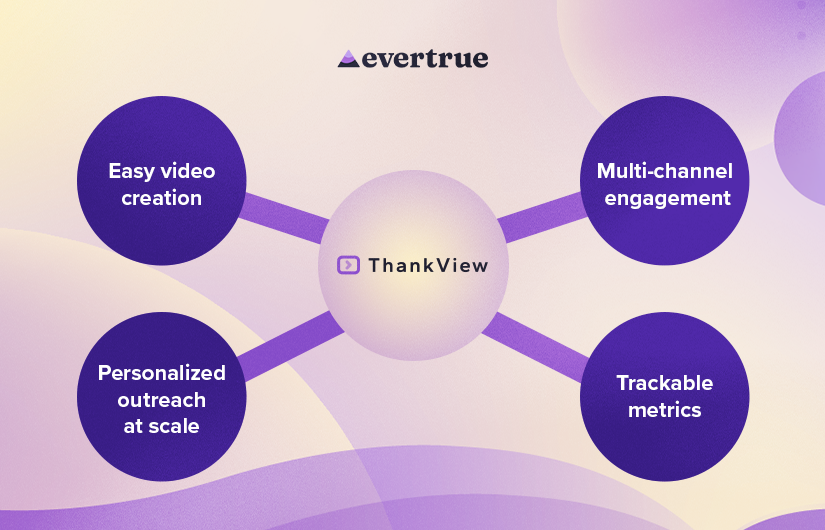
If your nonprofit is looking to make personal, meaningful outreach a regular part of your donor strategy, without adding hours of production work, ThankView is the platform for you. ThankView is EverTrue’s video engagement platform, giving your team:
- Easy video creation. With ThankView, you can record and upload video footage from any device and edit it with ease—no previous editing experience required. Plus, your nonprofit can empower volunteers to make videos with tools for sharing scripts and collecting clips.
- Personalized outreach at scale. Donor thank-you videos are more meaningful when they address the supporter as an individual. ThankView makes it easy to tailor video messages to each recipient by automatically providing supporters’ names and impact details.
- Multi-channel engagement. Deliver your videos via email, text message, or links, so supporters can access them through whatever communication platform they use the most.
- Trackable metrics. Track who is watching your videos to identify supporters engaging with your content, laying the foundation for future outreach.
To get started creating authentic, personalized videos with ease for all of your donors, reach out to EverTrue and discover how ThankView can streamline your video creation and delivery process.
Start Creating Impactful Donor Thank-You Videos.
Donor thank-you videos put a face on your nonprofit, helping donors feel connected to your cause in ways that text alone can’t. Invest in video creation and delivery software to start making and sharing videos with all of your supporters.
For more donor engagement tips, explore these top resources:
- 14 Fundraising Software Solutions for Nonprofits in 2026. Fundraising software provides all the tools you need to connect with donors, including video creation. Browse our top recommended platforms.
- Donor Segmentation: How Organizing Donors Boosts Retention. Donor segmentation lets you steward all of your supporters at scale. Learn how to segment your supporters.
- AI Fundraising: Mastering the Future Fundraising Landscape. AI fundraising tools can help you pinpoint the exact right time to send a personalized donor video. Discover how to leverage AI fundraising to drive better results.
